How AI Automation Can Improve Business Operations
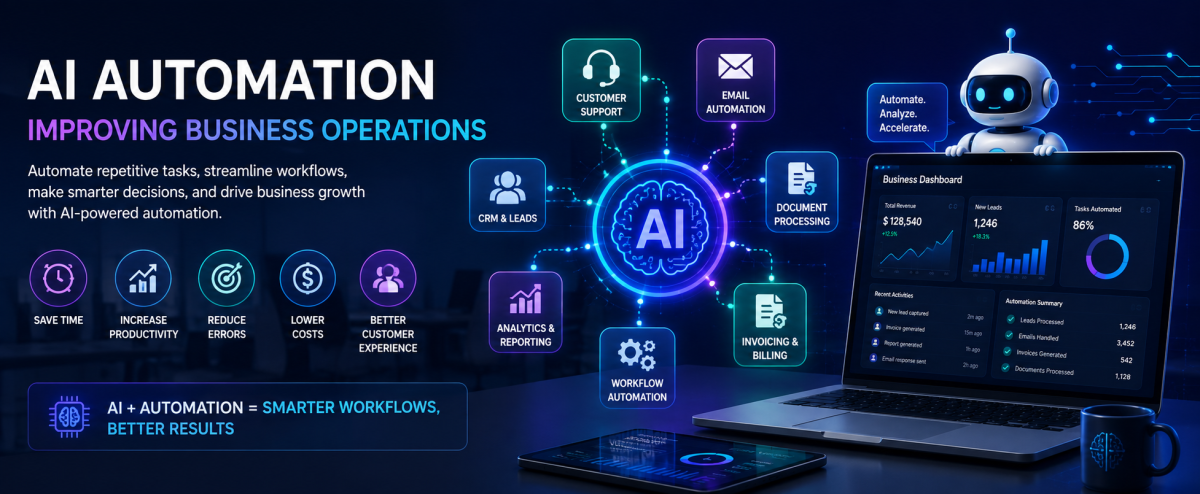
Businesses today handle an enormous amount of repetitive work. Employees respond to routine customer questions, process leads, prepare reports, update records, send emails, review documents, and move information between different systems.
As businesses grow, these repetitive processes can consume valuable time and increase the possibility of human error.
This is where AI automation can make a significant difference.
AI automation combines artificial intelligence with automated workflows to help businesses handle repetitive tasks, process information, make recommendations, and assist employees with day-to-day operations.
Instead of replacing every existing business system, AI can be integrated into the tools a company already uses.
In this guide, we will explore what AI automation is, how it works, where businesses can use it, its benefits, limitations, and how companies can start implementing AI effectively.
What Is AI Automation?
AI automation is the use of artificial intelligence to perform or assist with tasks that traditionally require human interaction, analysis, or decision-making.
Traditional automation usually follows predefined rules.
For example:
When a customer submits a form → send an email.
AI automation can handle more complex situations.
For example:
When a customer submits a message → understand the customer's request → identify the intent → generate an appropriate response → create a support ticket → notify the relevant team.
The difference is that AI can process unstructured information such as text, documents, emails, and conversations.
This makes AI automation useful for business processes that are difficult to manage using simple rule-based automation.
How Does AI Automation Work?
A typical AI-powered business workflow can include several components:
Input → AI Processing → Decision → Action → Result
For example:
Customer Email → AI Understands Request → Identifies Sales Inquiry → Creates Lead → Notifies Sales Team
A modern AI automation system may connect several technologies, including:
- AI models
- APIs
- Databases
- CRM systems
- Email platforms
- Business management software
- Cloud services
- Workflow engines
- Analytics platforms
This allows AI to become part of an existing business ecosystem rather than functioning as an isolated chatbot.
Traditional Automation vs AI Automation
Traditional automation and AI automation are related, but they solve different types of problems.
FeatureTraditional AutomationAI AutomationLogicPredefined rulesAI-assisted decisionsDataStructured dataStructured and unstructured dataFlexibilityLimitedHigherText UnderstandingLimitedStrongDocument ProcessingBasicAdvancedDecision MakingRule-basedContext-awareExampleSend email after form submissionUnderstand email and decide what action to take
Traditional automation is still extremely useful.
In many cases, the best solution combines traditional automation with AI.
1. AI-Powered Customer Support
Customer support is one of the most practical areas for AI automation.
Businesses receive many repetitive questions every day.
Customers may ask about:
- Pricing
- Services
- Product availability
- Delivery
- Account information
- Refund policies
- Business hours
- Appointment availability
- Order status
An AI assistant can understand these questions and provide relevant responses based on approved business information.
For example:
Customer:
"Can I reschedule my service appointment for Friday?"
An AI-powered system could understand the request, check the scheduling system, and either provide available options or route the request to an employee.
This can reduce the workload on support teams while allowing customers to receive faster responses.
2. Lead Management and Sales Automation
Businesses often receive leads from multiple sources.
These can include:
- Website forms
- Social media
- Advertising campaigns
- Landing pages
- Contact forms
- Phone calls
Manually reviewing every lead can take significant time.
AI can help analyze incoming leads and identify useful information such as:
- Customer requirements
- Industry
- Location
- Budget indicators
- Service interest
- Purchase intent
The system can then assign a lead priority or route it to the appropriate salesperson.
For example:
New Inquiry → AI Analysis → Lead Qualification → CRM Entry → Sales Notification
This allows sales teams to focus more attention on high-value opportunities.
3. Automated Email Processing
Email is still one of the most important communication channels for businesses.
However, managing hundreds or thousands of emails can become difficult.
AI can help classify incoming emails into categories such as:
- Sales inquiry
- Customer support
- Billing
- Complaint
- Partnership
- Job application
- General inquiry
The system can then automatically trigger different workflows.
For example:
Billing Email → AI Classification → Extract Invoice Information → Assign to Finance Team
This can significantly reduce manual email processing.
4. Document Processing
Businesses deal with many documents every day.
Examples include:
- Invoices
- Purchase orders
- Contracts
- Receipts
- Application forms
- Identification documents
- Reports
- Shipping documents
Traditional data entry requires employees to manually read these documents and enter information into business systems.
AI-powered document processing can extract relevant information automatically.
For example:
Invoice PDF → AI Extraction → Vendor Name → Invoice Number → Amount → Tax → Database
The extracted information can then be reviewed, validated, and stored in the appropriate system.
This can reduce repetitive data-entry work.
5. AI-Powered Business Reporting
Businesses generate large amounts of data.
Managers may need information about:
- Sales
- Revenue
- Expenses
- Customers
- Employees
- Inventory
- Projects
- Marketing
- Operations
Traditional reporting usually requires users to open dashboards and analyze multiple charts.
AI can provide a conversational layer over business data.
For example, a manager could ask:
"Which products generated the highest revenue this month?"
Or:
"Why did sales decrease compared with last month?"
The AI system can analyze approved data sources and provide a summarized response.
However, business AI systems should use controlled and authorized data sources to reduce the risk of inaccurate or misleading results.
6. Workflow Automation
AI can become particularly powerful when combined with existing business workflows.
Consider a service company receiving a new customer request.
A traditional workflow might require an employee to:
- Read the request
- Identify the service
- Create a customer
- Create a service request
- Assign an employee
- Send confirmation
- Update the CRM
An AI-powered workflow could assist with several of these steps automatically.
For example:
Customer Message → AI Understands Request → Customer Created → Service Identified → Job Created → Employee Suggested → Confirmation Sent
Employees can remain involved where human approval is required.
7. AI for Internal Knowledge Management
Businesses often have valuable information spread across documents, emails, manuals, policies, and internal systems.
Employees may spend considerable time searching for information.
An AI-powered internal knowledge system can allow employees to ask questions using natural language.
For example:
"What is our refund policy for annual subscriptions?"
Instead of manually searching through documents, an AI system can retrieve the relevant information and provide a concise answer.
This can be particularly useful for organizations with large internal knowledge bases.
8. AI-Powered Data Entry
Data entry is one of the most repetitive business activities.
Employees may repeatedly copy information between:
- Emails
- Spreadsheets
- CRM systems
- Accounting systems
- Databases
- Internal dashboards
AI automation can extract information from unstructured sources and transfer it into structured systems.
For example:
Email → Extract Customer Information → Validate Data → Create CRM Record
This can reduce repetitive work and help maintain consistency across business systems.
9. AI for Business Personalization
AI can also help businesses provide more personalized experiences.
For example, an online business can analyze customer interactions and provide recommendations based on:
- Previous purchases
- Product interests
- Browsing behavior
- Customer preferences
- Previous conversations
A CRM system combined with AI can help sales teams understand customer history before contacting them.
This allows businesses to provide more relevant communication instead of sending the same message to every customer.
Benefits of AI Automation for Businesses
AI automation can provide several potential benefits.
Reduced Repetitive Work
Employees can spend less time performing repetitive administrative tasks.
Faster Response Times
Automated systems can process requests continuously without requiring employees to manually handle every interaction.
Improved Productivity
Employees can focus more on activities that require creativity, communication, and decision-making.
Better Data Processing
AI can process large volumes of text, documents, and other information much faster than manual workflows.
Reduced Human Error
Automating repetitive data-entry processes can reduce mistakes caused by manual copying and processing.
Better Scalability
Automated workflows can handle increased workloads without requiring every process to grow at the same rate as the business.
AI Automation Does Not Mean Replacing Employees
One of the biggest misconceptions about AI automation is that businesses must completely replace human workers.
In reality, many effective AI systems are designed to assist employees rather than replace them.
For example:
AI handles:
Data extraction, classification, summaries, recommendations, and repetitive processing.
Employees handle:
Approvals, complex decisions, customer relationships, negotiations, and exceptions.
This approach is often called human-in-the-loop automation.
It allows businesses to combine the speed of automation with human judgment.
Human-in-the-Loop AI Automation
Not every business process should be fully automated.
For important decisions, businesses may want a human to review the AI's output before an action is completed.
For example:
Customer Request → AI Analysis → Suggested Action → Human Approval → Final Action
This approach can be particularly useful for:
- Financial operations
- Legal documents
- Sensitive customer requests
- Refunds
- Employee-related decisions
- Important business communications
Human approval provides an additional layer of control.
Challenges of AI Automation
AI automation also has limitations.
Businesses should not assume that AI will always produce correct results.
Potential challenges include:
- Incorrect AI responses
- Poor-quality input data
- Integration complexity
- Data privacy concerns
- Security risks
- Unexpected automation behavior
- AI model costs
- Difficulty measuring ROI
- Lack of internal expertise
For this reason, AI systems should be designed with validation, monitoring, access controls, logging, and appropriate human oversight.
How to Start With AI Automation
Businesses do not need to automate everything at once.
A better approach is to start with one repetitive and measurable process.
Step 1: Identify Repetitive Tasks
Look for tasks employees perform repeatedly.
Examples include:
- Email classification
- Data entry
- Report generation
- Customer FAQs
- Lead qualification
- Document processing
Step 2: Measure the Current Process
Understand how much time the process currently consumes.
For example:
100 emails per day × 5 minutes per email = 500 minutes of manual work
This provides a baseline for measuring potential improvements.
Step 3: Determine Whether AI Is Actually Needed
Not every automation requires AI.
A simple rule-based workflow may be more reliable and less expensive.
Use AI when the process requires understanding text, documents, context, classification, summarization, or more flexible decision-making.
Step 4: Integrate With Existing Systems
AI becomes more useful when it can work with the systems your business already uses.
This may include:
- CRM
- ERP
- Billing software
- Database
- Customer support platform
- Internal APIs
Step 5: Add Validation and Monitoring
AI outputs should be monitored, especially when they can trigger important business actions.
Implement:
- Logging
- Validation
- Access control
- Error handling
- Human approval where required
- Monitoring
Step 6: Measure the Results
Track measurable improvements such as:
- Time saved
- Processing speed
- Error reduction
- Customer response time
- Employee productivity
- Operational cost
- Revenue impact
This helps determine whether the automation is actually delivering business value.
AI Agents vs Simple AI Automation
AI automation and AI agents are related but not identical.
A simple AI automation may perform a specific task.
For example:
Read email → Classify email → Create ticket
An AI agent can potentially handle a more complex sequence of tasks.
For example:
Understand customer request → Check customer history → Search available services → Determine next action → Update CRM → Prepare response → Request human approval → Send response
AI agents can therefore be useful for more complex workflows where multiple steps and decisions are involved.
However, agents should be implemented carefully with appropriate permissions, safeguards, and monitoring.
The Future of Business Automation
AI is changing how businesses approach software development and automation.
Instead of building software that only follows fixed rules, businesses can increasingly build systems capable of understanding information and assisting with decisions.
Future business platforms are likely to combine:
- Traditional software
- APIs
- Workflow automation
- AI models
- AI agents
- Business analytics
- Cloud infrastructure
The most effective systems will not simply add AI as a feature. They will integrate AI into the workflows where it provides measurable value.
Final Thoughts
AI automation can help businesses reduce repetitive work, process information faster, improve customer experiences, and create more efficient workflows.
However, successful AI implementation is not simply about adding a chatbot or connecting an AI model to an application.
The real value comes from identifying the right business problems and designing reliable workflows around them.
Businesses should start small, measure results, protect sensitive data, and gradually expand automation as they understand what works.
AI should be treated as a business capability rather than just a technology trend.
Build Smarter Business Workflows With FusionCentrix
At FusionCentrix, we help businesses build software solutions that combine modern application development, APIs, cloud technologies, SaaS architecture, and AI-powered automation.
From automating repetitive workflows to connecting existing business systems and building intelligent applications, the right technology can help businesses save time and operate more efficiently.
The goal of AI automation is not simply to automate more. It is to help businesses work smarter.